
Cloud or self-hosted: where should your exchange software live?
You can run Nexto on our cloud, on your own server, or on the “Nexto Box” in your office. The same software, the same features, the same support; only where your data lives is different.
Three ways to run Nexto
In every mode it is the same version with the same features; the only difference is where the server is and who maintains it.
Nexto Cloud
On our infrastructure in Europe. Maintenance, security, backups and updates are all on us; you just sign in and work. Reachable from anywhere in the world.
Price: included in the monthly or yearly plan
Your own server
The Nexto team installs and sets up the software on your server or VPS and delivers updates remotely. Hardware and network are yours; the software is ours.
Price: included in the lifetime license
Nexto Box
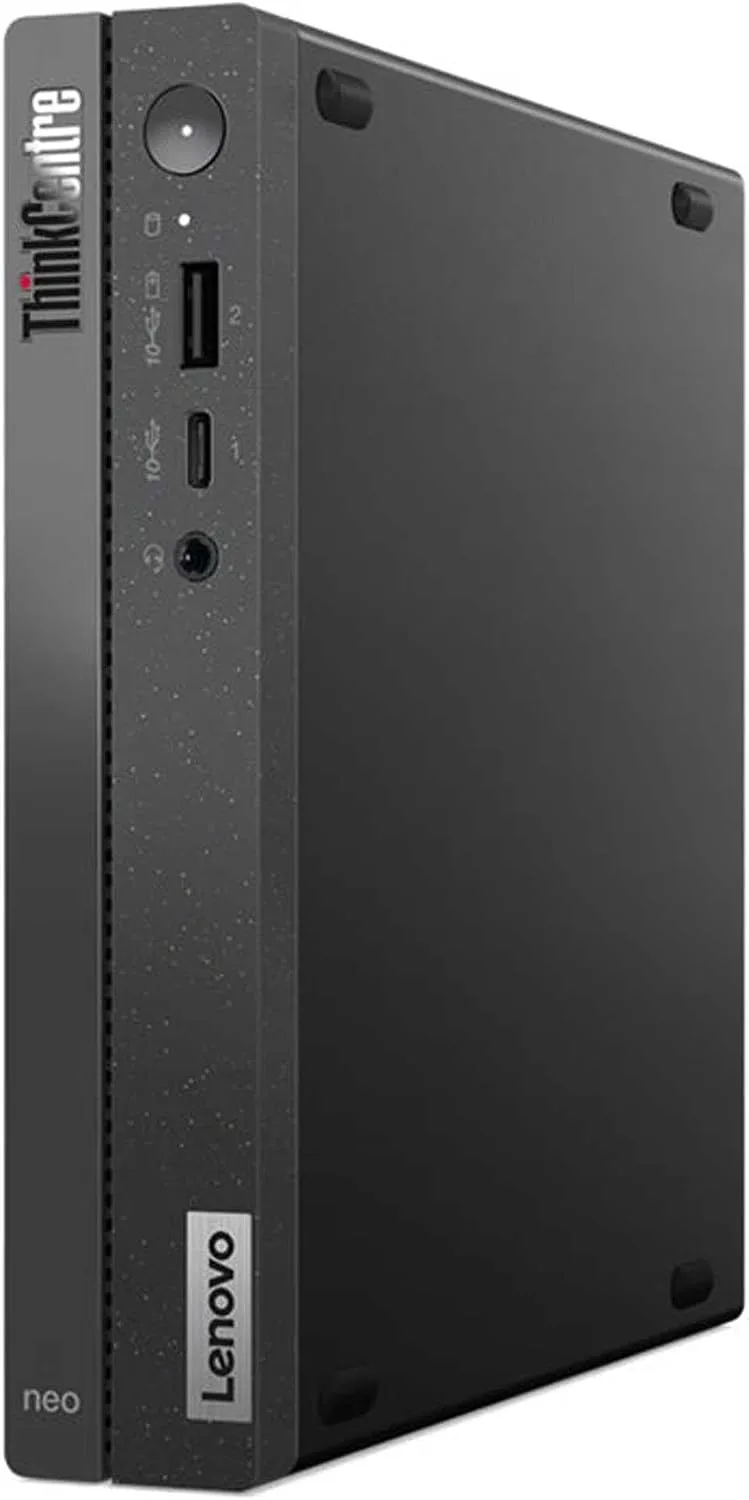
A mini PC with Nexto pre-installed that we ship to you. It stays in your office, and even with no internet at all, every user in the office works over the local network.
Comparing the options
| Criterion | Nexto Cloud | Your own server | Nexto Box |
|---|---|---|---|
| Where the data lives | European data center | Your server | Your office |
| Access from outside the office (mobile, travel) | ✓ | ✓ | Via a static IP and your office VPN |
| Works during international internet outages | — | Depends on server location | ✓ |
| Works with no internet at all | — | — | ✓ |
| WhatsApp, live rates, OCR, inquiries | ✓ | With internet | With internet |
| Backup | Automatic cloud + download | On your server + your own cloud storage | A separate drive in the office + your own cloud storage |
| Software updates | Automatic | Remotely, by Nexto | Automatic when online |
| Hardware maintenance | Nexto | You | You; the device warranty is not provided by Nexto |
| Pricing | Monthly/yearly plan | Lifetime license | Lifetime license + device cost |
Nexto on a device in your own office
Put simply: an offline, fully local exchange software that works even without internet. This option is for exchange offices that, for whatever reason, do not want their data on any server outside the office. In return, maintaining the device, the network and backups is up to you. Before deciding, read the “Know before you buy” section in full.
- Full operation without internet: trades, cash desk, accounts, statements, reports, every user in the office
- Backups are entirely in your hands
- Access from outside the office (mobile, travel): Via a static IP and your office VPN
- No hardware warranty from Nexto
Deployment FAQ
What if the box fails?
The hardware warranty is not provided by Nexto, and getting a replacement device is up to you. We install Nexto on the new device and restore your latest backup; anything recorded after the latest backup is lost. That is why regular backups and a copy kept outside the office are essential.
How many users can work with the box?
The same lifetime license: unlimited users and customers. Any device on the office network — PC, tablet or phone — signs in through a browser.
Can I move from the cloud to the box later, or the other way round?
Yes. Nexto is the same software in every mode, and your data moves between them with a standard backup — no exit fee, no lost records.
What do I need to install it on my own server?
A Linux server or VPS with SSH access is enough; the Nexto team does the rest of the installation and configuration and delivers updates remotely. We share the exact specifications at contract time.
Next step
See how it works in practice, learn it, then try it on your own data.